

 Account
 Billing
Obsidian opened but the note is missing
Obsidian export depends on the browser and Obsidian. RecallBase can open the Obsidian link, but it cannot prove that Obsidian created the note in your vault.
Browse docsMenu
 Browse docs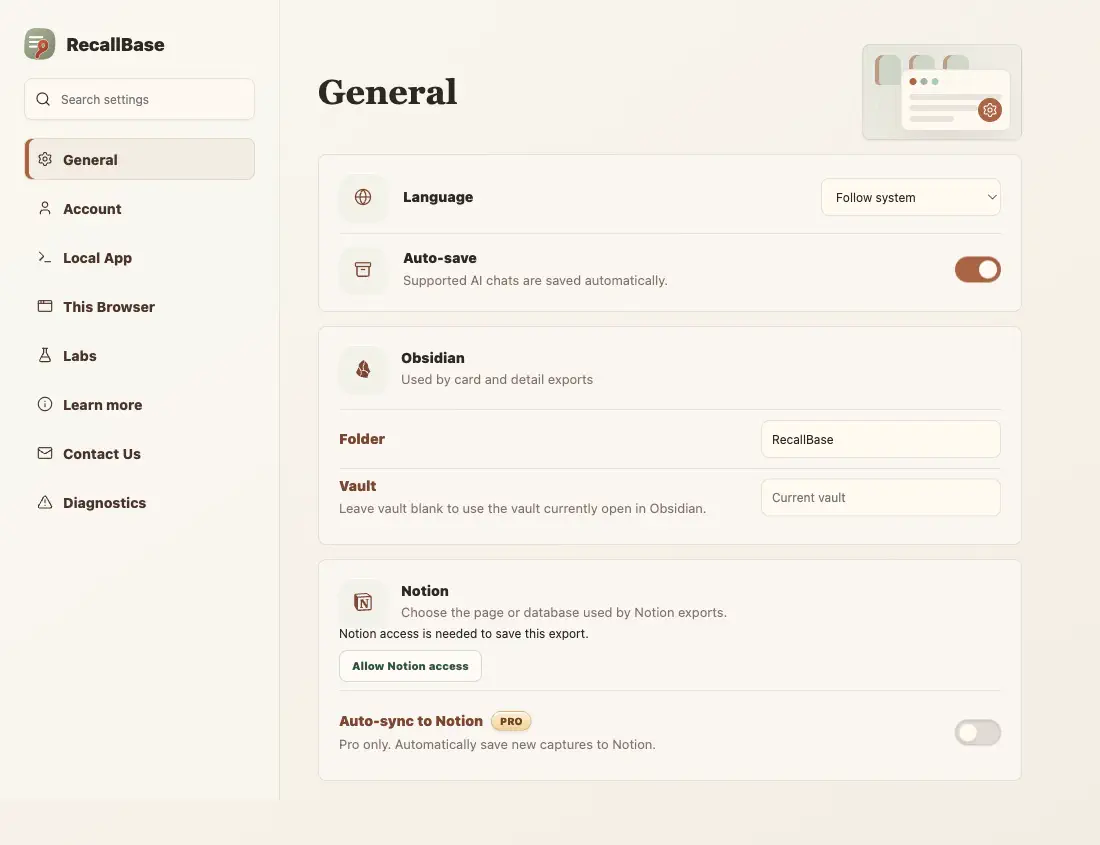
Symptom
Obsidian opened after export, but the expected note is not visible.
Most likely cause
The obsidian:// link was blocked, it opened the wrong vault, or Obsidian did not create the note from the content it received.
Fix it
Check the vault, let the browser open Obsidian links, or use Markdown export as a manual fallback.
- 1
Confirm the browser can open obsidian:// links.
- 2
Check the intended vault.
- 3
Retry the Obsidian export.
- 4
Export Markdown and import it manually if needed.
Verify it worked
Search the vault for the note title or a known phrase from the exported conversation.
What RecallBase cannot verify
The browser extension cannot prove that Obsidian created the note or handled its attachments.
Use Markdown as the reliable fallback
Obsidian stores notes as Markdown, so a Markdown export is the safest manual recovery path. If the Obsidian link opens the wrong vault or creates no note, export Markdown, move the file into the intended vault, and let Obsidian index it normally.
Check the vault and Obsidian link
Obsidian export depends on both the browser and the local Obsidian app. The browser may ask for permission to open obsidian:// links. Obsidian may also route the note to the last active vault instead of the one you expected. In the extension settings, check the Obsidian Folder and Vault values; a blank Vault means Obsidian uses whichever vault is currently open. Before assuming the export failed, search all likely vaults by note title and by a phrase from the conversation.
- 1
Confirm Obsidian is installed and can open obsidian:// links from the browser.
- 2
Check the vault that was active when the link opened.
- 3
Search by note title and one unique phrase from the conversation.
- 4
Retry with a short non-sensitive chat.
- 5
Export Markdown and move the file into the vault if app opening is unreliable.
What RecallBase can prove
RecallBase can prepare the content and ask the browser to open Obsidian. It cannot inspect your vault, confirm where Obsidian stored the note, or verify attachments after the local app takes over.

