

 Account
 Billing
Export AI conversations as images
Image export creates PNG snapshots for supported conversations. Free exports include a RecallBase watermark; Pro removes the image watermark.
Browse docsMenu
 Browse docs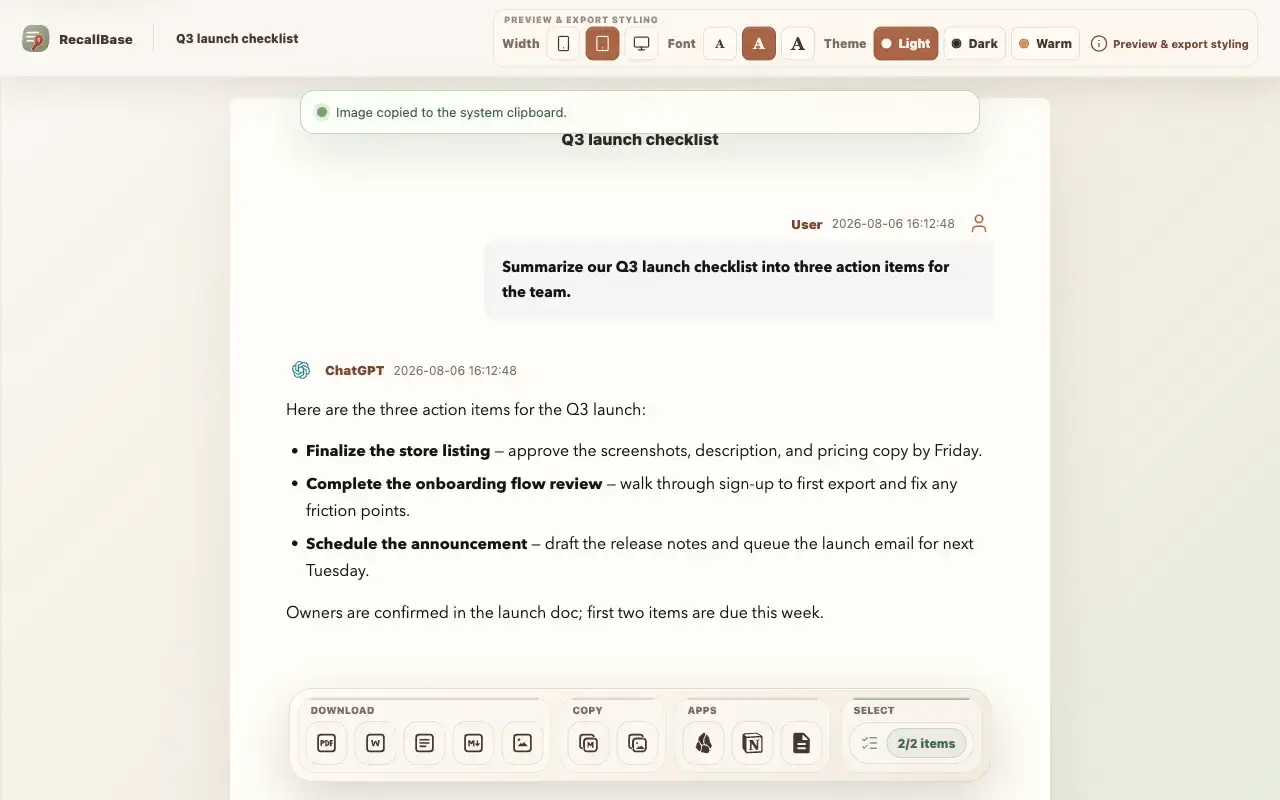


Before you start
Export Studio is the easiest place to export images because you can preview the capture first. Use Copy Image when you want to paste the result into another app instead of downloading a file.
Where to export images
Image export is available from the popup, right-click menu, and Export Studio. The floating button does not list Image directly; open Studio from it first.
- 1
Popup: choose Image or Copy Image for the current chat.
- 2
Right-click menu: choose Export Image or Copy Image on a supported chat page.
- 3
Export Studio: choose Image or Copy Image after previewing the chat or selected messages.
- 4
Floating button: choose Studio, then choose Image or Copy Image.
Export PNG
RecallBase renders the selected conversation preview into a PNG in your browser. Very large captures can fail on browser memory, canvas, or clipboard limits before a file is created. See the Free and Pro limits in the capability table below.
- 1
Open the popup, right-click menu, or Export Studio.
- 2
Choose Image to download a PNG, or Copy Image to copy it to the clipboard.
- 3
In Export Studio, adjust theme, font size, and width before exporting.
- 4
Find the PNG in your Downloads folder, or paste the copied image into your target app.
Size and clipboard limits
If the image is too large, narrow the selection or export Markdown or PDF instead. Never send sensitive chat screenshots to support.
When image export is appropriate
Image export works best for short visual snippets: a compact answer, a comparison, or a few messages you want to paste into a chat, slide, or issue. For long conversations, use Markdown or PDF instead.
Export entry point table
Use this table to see where each browser extension export action appears.
| Action | Popup | Floating button | Right-click menu | Export Studio |
|---|---|---|---|---|
| Open Export Studio | Yes | Yes | Yes | Already there |
| Markdown download | Yes | Yes | Yes | Yes |
| Copy Markdown | Yes | Open Studio first | Yes | Yes |
| Yes | Yes | Yes | Yes | |
| Word / DOCX | Yes | Yes | Yes | Yes |
| Image / PNG | Yes | Open Studio first | Yes | Yes |
| Copy Image | Yes | Open Studio first | Yes | Yes |
| Text | Yes | Open Studio first | Yes | Yes |
| JSON | No | No | Yes | No |
| Copy JSON | No | No | Yes | No |
| Obsidian | Yes | Yes | Yes | Yes |
| Notion | Yes | Yes | Yes | Yes |
| Settings | Yes | No | Yes | No |
Free and Pro export capability table
The same limits apply across export docs, pricing, and the browser extension.
| Export target | Free | Pro | Notes |
|---|---|---|---|
| Markdown | Unlimited | Unlimited | No Pro required |
| 3 / local day + watermark | Unlimited + no watermark | The browser controls the final PDF save dialog | |
| Word | 3 / local day | Unlimited | Rich export runs locally |
| Text | Unlimited | Unlimited | Plain local text export |
| Image | Watermarked | No watermark | Size preflight may block very large captures |
| JSON | Unlimited | Unlimited | Use for local developer workflows |
| Notion | 3 / local day | Unlimited | Requires the current authorized Notion workflow |
| Google Docs | 3 / local day | Unlimited | Requires the current authorized Google Docs workflow |
| Obsidian | Unlimited | Unlimited | The browser cannot prove final note creation |

