

 Account
 Billing
Export AI conversations to Obsidian
Obsidian export copies Markdown to the clipboard and opens an obsidian://new link. RecallBase can start that app-opening flow, but the browser cannot prove that Obsidian created the final note.
Browse docsMenu
 Browse docs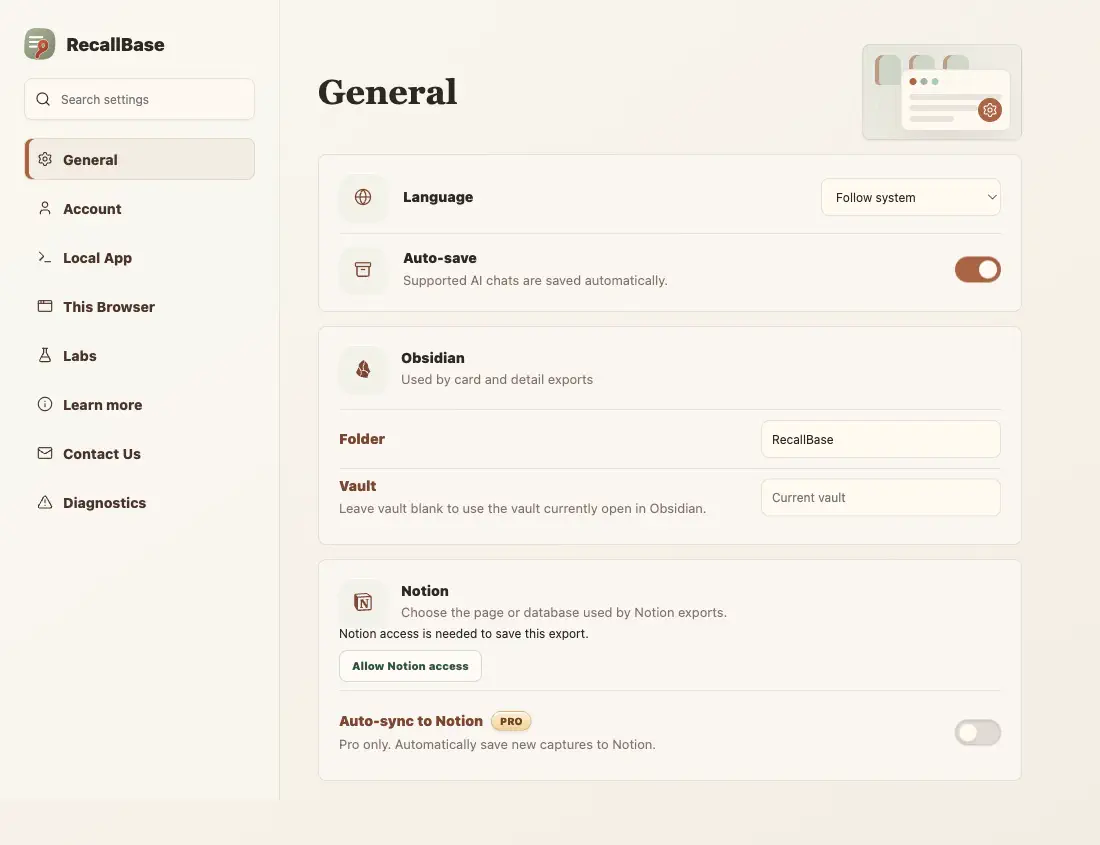

Before you start
Install Obsidian and allow obsidian:// links in your browser. In RecallBase settings, you can set the Obsidian Folder and Vault where new notes should go.
Where to export to Obsidian
Obsidian is available from the popup, floating button, right-click menu, and Export Studio.
- 1
Popup: choose Obsidian for the current chat or a saved chat.
- 2
Floating button: choose Obsidian while viewing the current chat.
- 3
Right-click menu: choose Save to Obsidian on a supported chat page.
- 4
Export Studio: choose Obsidian after previewing the chat or selected messages.
Send to Obsidian
RecallBase copies the Markdown to your clipboard, then opens Obsidian with an obsidian://new URL. Image links stay as Markdown links; the extension does not create attachment files in your vault. See the Free and Pro limits in the capability table below.
- 1
Choose Obsidian from the popup, floating button, right-click menu, or Export Studio.
- 2
Approve the browser request to open Obsidian.
- 3
Check your vault for the new note.
- 4
If nothing appears, paste the copied Markdown manually.
Fallback
If Obsidian does not create the note, export Markdown and paste it into a note manually.
Obsidian app-opening expectations
Obsidian export is for people who already keep a local vault. The app-opening flow only works if the browser and Obsidian accept the obsidian:// protocol. If the note does not appear, search the vault by title or a known phrase. Markdown export is the reliable fallback, because Obsidian reads Markdown directly.
Export entry point table
Use this table to see where each browser extension export action appears.
| Action | Popup | Floating button | Right-click menu | Export Studio |
|---|---|---|---|---|
| Open Export Studio | Yes | Yes | Yes | Already there |
| Markdown download | Yes | Yes | Yes | Yes |
| Copy Markdown | Yes | Open Studio first | Yes | Yes |
| Yes | Yes | Yes | Yes | |
| Word / DOCX | Yes | Yes | Yes | Yes |
| Image / PNG | Yes | Open Studio first | Yes | Yes |
| Copy Image | Yes | Open Studio first | Yes | Yes |
| Text | Yes | Open Studio first | Yes | Yes |
| JSON | No | No | Yes | No |
| Copy JSON | No | No | Yes | No |
| Obsidian | Yes | Yes | Yes | Yes |
| Notion | Yes | Yes | Yes | Yes |
| Settings | Yes | No | Yes | No |
Free and Pro export capability table
The same limits apply across export docs, pricing, and the browser extension.
| Export target | Free | Pro | Notes |
|---|---|---|---|
| Markdown | Unlimited | Unlimited | No Pro required |
| 3 / local day + watermark | Unlimited + no watermark | The browser controls the final PDF save dialog | |
| Word | 3 / local day | Unlimited | Rich export runs locally |
| Text | Unlimited | Unlimited | Plain local text export |
| Image | Watermarked | No watermark | Size preflight may block very large captures |
| JSON | Unlimited | Unlimited | Use for local developer workflows |
| Notion | 3 / local day | Unlimited | Requires the current authorized Notion workflow |
| Google Docs | 3 / local day | Unlimited | Requires the current authorized Google Docs workflow |
| Obsidian | Unlimited | Unlimited | The browser cannot prove final note creation |

