

 Account
 Billing
Pick the kind of save you actually need
The reliable sequence is: open the exact ChatGPT thread, save it locally, verify the saved copy, then choose an export only if the next task needs one. This differs from an account-wide provider export and from a share link. The AI conversation archive guide explains how a selected save becomes part of a longer-term local recall system.
Before installing another tool, decide what “save” means for this conversation:
| Method | Best for | Important boundary |
|---|---|---|
| ChatGPT history | Returning to a thread inside ChatGPT | Controlled by the provider, account, and product history behavior |
| Account data export | Obtaining a broad account-level package | Usually slower and broader than saving one active thread |
| Share link | Letting someone view a selected shared version | Not a private local backup; access rules are provider-controlled |
| Browser print | A quick document from a simple page | Can include unwanted page chrome or lose conversational structure |
| RecallBase local save | Searchable recall of the open supported thread | Browser-local storage can be removed when the extension is uninstalled |
| RecallBase export | A portable PDF, Markdown, Word, JSON, image, or note handoff | Selected content leaves local storage only through the action you choose |
Save the thread before it becomes hard to find
Open the conversation itself rather than a history list, shared preview, or temporary product surface. Check the title and scroll through the messages that matter. If the page is still streaming an answer, wait for it to finish so the captured record is not incomplete.
Use RecallBase to save the current supported thread. The save creates a local record; it does not ask the website to store the conversation. After saving, search for a distinctive phrase or reopen the saved item. That confirmation is small but important. It catches the wrong-tab mistake, an incomplete capture, or a title that would be difficult to recognize later.
If the capture control is missing, check the supported AI apps page, reload the conversation after installing or updating the extension, and confirm you are on a normal conversation route. Third-party site changes can temporarily affect detection, so the troubleshooting path should start with the page and product version—not with sending private content to support.
When ChatGPT’s native options are enough
ChatGPT history is appropriate when the thread only needs to remain available inside that account and product. A provider account export is appropriate when you need a broad data package rather than one readable conversation. A share link can be suitable when the goal is to share and its current access behavior fits the content.
RecallBase is useful when you want the specific thread in a searchable local archive, need a format such as Markdown or PDF, or want to preserve selected messages without depending on a product sidebar. It does not replace the provider’s account controls, restore deleted chats, or guarantee that a provider will keep its current history behavior.
Choose a format after saving
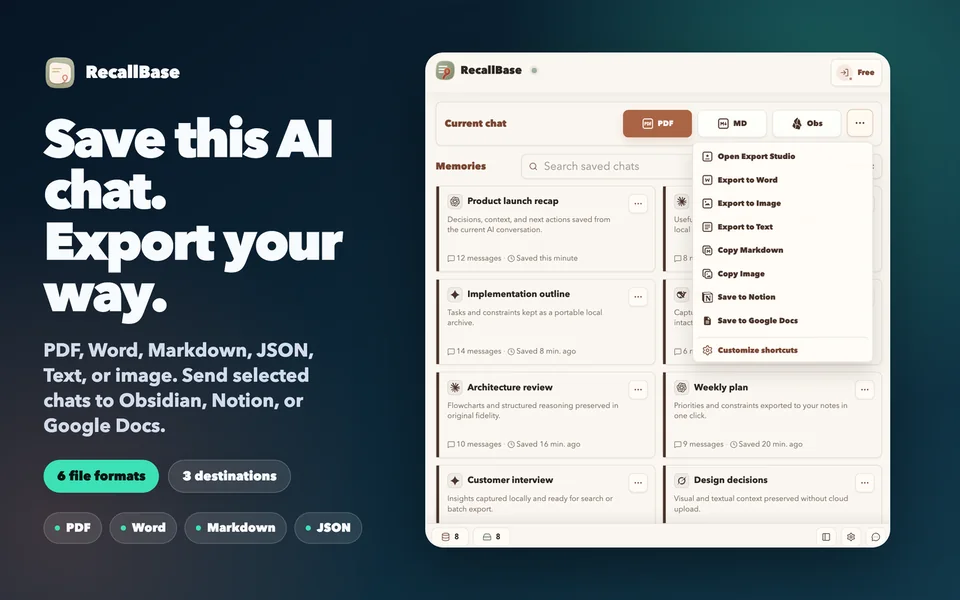
Markdown is the safest default for editable text, headings, lists, and code blocks. PDF is better when the conversation should become a fixed readable document. Word is useful for document editing and review. JSON supports local processing. An image preserves a visual snapshot. Notion and Obsidian are deliberate handoffs to tools you already use.
If the thread contains formulas, Mermaid diagrams, tables, or code, open Export Studio and review the preview before creating a file. Select only the messages needed for the record. The ChatGPT to PDF guide covers the browser print boundary, document verification, and when Markdown is the better fallback.
What to save
Save work with future value: decisions, research evidence, reusable prompts, code explanations, requirements, drafts, experiment results, and debugging paths. Skip empty chats and one-off tests that would pollute search. If a thread contains secrets, personal data, or material you are not allowed to retain, do not archive it merely because saving is convenient.
A local-first tool does not remove your responsibility to handle the content safely. A PDF sent by email and a Notion export are no longer only in browser storage. Confirm the destination, access settings, and selected messages before completing the export.
Local-first privacy boundary
Saving a ChatGPT conversation with RecallBase does not send raw prompts, answers, code, filenames, local paths, cookies, tokens, page DOM, or sensitive screenshots to the website. Content leaves browser-local storage only through an export or destination action the user chooses.
How to save a ChatGPT conversation locally
- Step 1
Open the exact ChatGPT thread
Confirm the title and scan the messages so you do not save a similarly named or incomplete conversation.
- Step 2
Save the conversation
Use RecallBase on the supported conversation page to capture the thread into browser-local storage.
- Step 3
Verify the saved record
Open it from RecallBase or search for a distinctive phrase before relying on the local copy.
- Step 4
Export only if needed
Choose Markdown, PDF, Word, JSON, image, Notion, or Obsidian when the conversation needs a portable destination.
Files, destinations, and local saves
File formats include Markdown, PDF, Word, text, JSON, and image. Notion, Google Docs, and Obsidian are explicit destinations, while the browser-local archive stays on your device. The table keeps those option types distinct in their labels.
| Option | Free | Pro |
|---|---|---|
| Markdown file | Unlimited | Unlimited |
| PDF file | 3 / local day + watermark | Unlimited + no watermark |
| Word file | 3 / local day | Unlimited |
| Text file | Unlimited | Unlimited |
| Image file | Watermarked | No watermark |
| JSON file | Unlimited | Unlimited |
| Notion destination | 3 / local day | Unlimited |
| Google Docs destination | 3 / local day | Unlimited |
| Obsidian destination | Unlimited | Unlimited |
| Browser-local archive | Unlimited | Unlimited |
Know the boundary before you rely on it.
- Supported AI sites can change their interfaces; current compatibility lives in the support docs.
- Removing the extension can remove browser-local records, so export anything irreplaceable first.
- Files and authorized app destinations control their final save result; verify the output after export.
Questions
What is the quickest way to save one ChatGPT conversation?
Open the exact thread, use RecallBase to save it locally, then search for or open the saved record before closing the original page.
Is ChatGPT account export the same as saving one conversation?
No. Account export is a broad provider-controlled data package. RecallBase is a selected per-conversation save, review, search, and export workflow.
Is a ChatGPT share link a private backup?
No. A share link is a sharing mechanism governed by ChatGPT, not a local archive. Review its current privacy and access behavior before using it.
What should I do before uninstalling the extension?
Export or import any irreplaceable conversation first because uninstalling an extension can remove its browser-local storage.
Does RecallBase upload a saved ChatGPT thread?
No. Browser saves stay local by default, and website account or billing checks do not require raw prompts, answers, filenames, paths, DOM, tokens, or screenshots.