

 Account
 Billing
The short answer
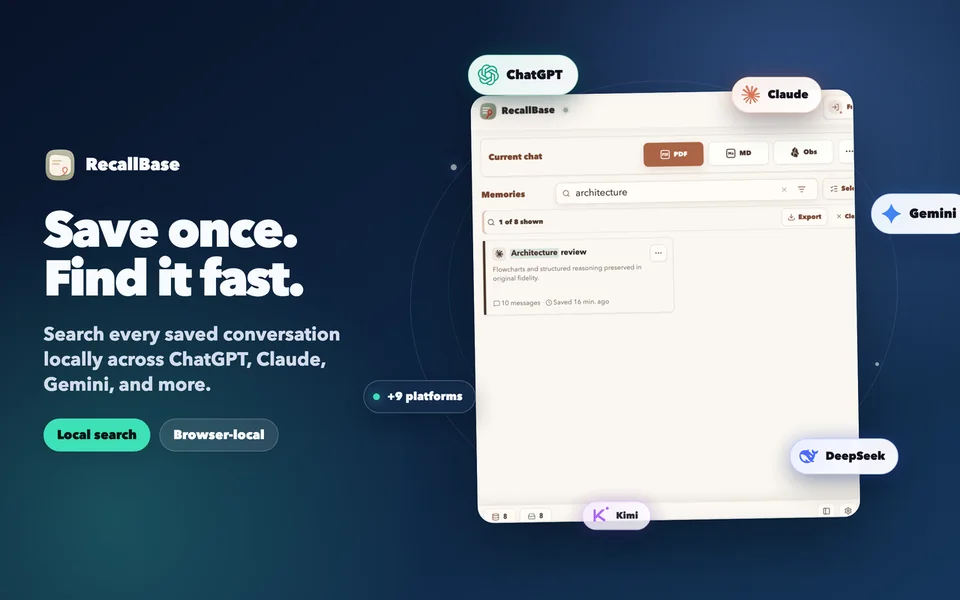
RecallBase is for people whose useful AI work is scattered across browser chat products and coding-agent session files. The browser extension captures supported web conversations and keeps them browser-local by default. The open-source CLI imports supported local agent history into a local SQLite archive. Both surfaces focus on personal recall: save the work, search it on your device, and export a portable copy only when the next task requires one.
This is not a customer-support transcript platform, a team surveillance product, or a cloud account that silently copies every conversation. The website handles product information, accounts, and billing without accepting raw prompts, answers, local paths, filenames, cookies, tokens, DOM, or sensitive screenshots.
Keeping the two archives separate makes their local boundaries clear instead of implying background synchronization between them.
Why native histories are not a complete archive
ChatGPT, Claude, Gemini, coding agents, and other AI tools each control their own history. A sidebar can be convenient, but it is still tied to one product, one account, and that product’s retention and interface. Terminal agents create a different problem: their useful reasoning may live in local session files that are hard to rediscover after a project changes or a tool rotates its history.
A personal archive adds a stable layer that you control. It is useful when a conversation contains a decision, a research trail, a working prompt, a code explanation, a draft, or a debugging breakthrough that would be expensive to reconstruct. It is less useful when it indiscriminately stores every test. RecallBase therefore treats curation as part of the workflow rather than promising automatic collection of everything.
What RecallBase stores, and where
The browser extension and CLI have different local storage boundaries:
| Surface | Intended input | Local destination | Cloud behavior |
|---|---|---|---|
| Browser extension | A supported conversation page you choose to save | Browser extension storage, with explicit file or app export | No default cloud sync |
| RecallBase CLI | Supported local coding-agent session history | A local SQLite database managed by the CLI | No cloud sync or cloud storage |
| RecallBase website | Account, entitlement, billing, docs, and product pages | Only the minimum account and billing records required by those features | Never receives raw conversation content |
The CLI is published on npm and its source is available in the public MIT-licensed repository. Install from that verified npm listing rather than unofficial mirrors. Its local archive is not an extension of a RecallBase cloud account. Removing the CLI does not transfer its database to the website, and signing into the website is not required for local CLI features.
Search before you export
An archive earns its keep when it helps you retrieve a prior answer quickly. After saving a record, search for a phrase that is likely to occur only in that conversation: a decision name, error message, function, client requirement, or research term. Open the result and check that the title, source, and content match what you expected.
That verification matters because “saved” and “findable” are not the same thing. A local file in an unknown folder is technically saved but operationally lost. A browser sidebar may retain a thread but still make an old decision hard to locate. RecallBase’s archive model prioritizes a readable record and local retrieval before promoting more export formats.
Choose an export for the next job
Export is a deliberate boundary crossing. Markdown is the most portable choice when the content should remain editable. PDF is useful for a fixed record, printing, or sharing. Word fits document review. JSON supports local scripts and migration. Images preserve a visual snapshot. Notion and Obsidian are destinations you select; they are not automatic cloud backup promises.
Before exporting, review which messages matter. A concise record containing the relevant question, final answer, code, table, formula, or diagram is often more useful than an unfiltered transcript. The Export Studio supports message selection so a document can preserve important context without carrying every abandoned attempt.
Local-first privacy boundary
RecallBase separates local conversation data from website account systems. Browser saves remain in extension storage by default; the open-source CLI stores its archive in local SQLite; only an explicit export sends selected content to a chosen file or destination.
How to build a local AI conversation archive
- Step 1
Choose the right local surface
Use the browser extension for supported web AI conversations and the open-source CLI for supported local coding-agent session history.
- Step 2
Save work worth finding again
Keep decisions, research, drafts, code explanations, and debugging trails instead of collecting every disposable chat.
- Step 3
Verify local recall
Search for a distinctive phrase and open the saved record before treating the archive as your source of truth.
- Step 4
Export only when needed
Choose a file or authorized destination for selected content; do not treat export as background cloud synchronization.
Files, destinations, and local saves
File formats include Markdown, PDF, Word, text, JSON, and image. Notion, Google Docs, and Obsidian are explicit destinations, while the browser-local archive stays on your device. The table keeps those option types distinct in their labels.
| Option | Free | Pro |
|---|---|---|
| Markdown file | Unlimited | Unlimited |
| PDF file | 3 / local day + watermark | Unlimited + no watermark |
| Word file | 3 / local day | Unlimited |
| Text file | Unlimited | Unlimited |
| Image file | Watermarked | No watermark |
| JSON file | Unlimited | Unlimited |
| Notion destination | 3 / local day | Unlimited |
| Google Docs destination | 3 / local day | Unlimited |
| Obsidian destination | Unlimited | Unlimited |
| Browser-local archive | Unlimited | Unlimited |
Know the boundary before you rely on it.
- Browser and CLI archives are separate local stores until you deliberately export or import through a supported path.
- AI sites can change their interfaces, and removing the extension can remove browser-local records.
- RecallBase cannot recover provider history that was deleted or never available locally.
Questions
What is an AI conversation archive?
It is a searchable collection of AI chats and agent sessions you choose to preserve, instead of relying on separate product sidebars and terminal histories.
Is RecallBase an enterprise transcript warehouse?
No. RecallBase is designed for an individual's local AI work archive, not for customer-service transcripts, employee monitoring, team analytics, or server-side conversation storage.
Does RecallBase upload the archive to its website?
No. Browser saves stay in browser storage by default, and the open-source CLI keeps its SQLite archive on the user's machine. Account and billing endpoints do not need raw conversations.
Can I search across browser chats and coding-agent sessions?
RecallBase provides local search workflows for saved browser conversations and for supported local coding-agent histories. The browser extension and CLI remain distinct product surfaces.
Which export format should I use?
Use Markdown for editable notes, PDF for a fixed readable record, Word for document handoff, JSON for local processing, and Notion or Obsidian only when you intentionally choose those destinations.


